Best Google Analytics Alternatives for Small Business (2026 Guide)
Discover the best Google Analytics alternatives for small business in 2026. Compare Plausible, Fathom, Simple Analytics, Matomo, and EazyStats — and find the right website visitor tracking tool for your needs.

EazyStats Team
Product & Growth · Published March 5, 2026
Google Analytics is powerful. But for many small businesses, it's also:
- Overwhelming
- Hard to interpret
- Easy to misconfigure
- Full of reports you'll never use
Most founders don't need enterprise-level attribution modeling and hundreds of dashboards. They need clarity:
- Where visitors came from
- What pages they explored
- Whether they engaged
- Where they dropped off
- What to improve next
That's why so many businesses are looking for a Google Analytics alternative built for simplicity. In this guide you'll learn why small businesses leave GA, what to look for in a substitute, and how the top tools compare.
Why Small Businesses Look for a Google Analytics Alternative
Google Analytics was originally designed for large organizations and complex marketing stacks. For large teams, that power is useful. For small businesses, it often creates friction.
Complex dashboards
GA4 contains dozens of reports. Many founders only need traffic sources, top pages, engagement levels, and conversion paths — but instead face a complex analytics interface.
Setup friction
Many small businesses struggle with configuring events, setting up conversions, installing Tag Manager, and validating tracking. Without technical knowledge, setup can take days.
Hard-to-interpret metrics
Metrics like bounce rate, engagement rate, and session duration often require interpretation. For example, if GA shows Bounce rate: 62%, you still don't know which pages caused friction, which visitors explored deeper, or which traffic source brings buyers.
That interpretation gap is exactly why Google Analytics alternatives exist. To understand how to measure website traffic clearly, see our guide: Track Website Traffic Without Google Analytics.
What to Look for in a Google Analytics Substitute
The best analytics tool for a small business is not the most powerful one — it's the one you'll actually use. Here are the most important criteria.
1. Fast Setup
A good tool should install with a simple script, start tracking immediately, and require minimal configuration. If implementation takes days, adoption drops.
2. Clear Traffic Overview
At a minimum, your dashboard should show total visitors, top pages, referral sources, and campaign traffic (UTM links) — so you quickly see where visitors come from.
3. Clear Behavior Insights
Traffic numbers alone aren't enough. You need to understand whether visitors explore more than one page, which pages lead to conversions, and which pages cause exits. For a deeper understanding of this relationship, see: Engagement Rate vs Bounce Rate.
4. Simple Interpretation
Most analytics tools show numbers. Few explain what the numbers mean. The difference matters.
| Metric View | Insight View |
|---|---|
| Bounce rate: 64% | Visitors landing on your homepage are leaving before exploring features. |
| Engagement rate: 40% | Only 4 in 10 visitors are exploring beyond the landing page — messaging may need clarity. |
EazyStats is built around this philosophy
5. Privacy Considerations
Many businesses evaluate analytics tools based on privacy. Some platforms emphasize minimal tracking, anonymized data, and simplified consent requirements. If privacy compliance is a priority in your market, consider tools designed with privacy in mind.
Google Analytics (Strengths & Weaknesses)
Google Analytics still has real advantages worth acknowledging.
| Strengths | Weaknesses for Small Business |
|---|---|
| Free for most websites | Steep learning curve |
| Powerful segmentation | Complex reporting interface |
| Advanced event tracking | Difficult setup (Tag Manager, events, conversions) |
| Deep attribution analysis | Confusing engagement metric definitions |
| Integrates with Google Ads & Search Console | Doesn't explain what metrics mean or what to fix |
Best Google Analytics Alternatives (Quick Overview)
| Tool | Primary Focus |
|---|---|
| Plausible | Simple, privacy-focused analytics |
| Fathom | Clean dashboard + campaign tracking |
| Simple Analytics | Minimal interface |
| Matomo | Self-hosted analytics platform |
| EazyStats | Behavior-driven insights for founders |
Plausible Analytics
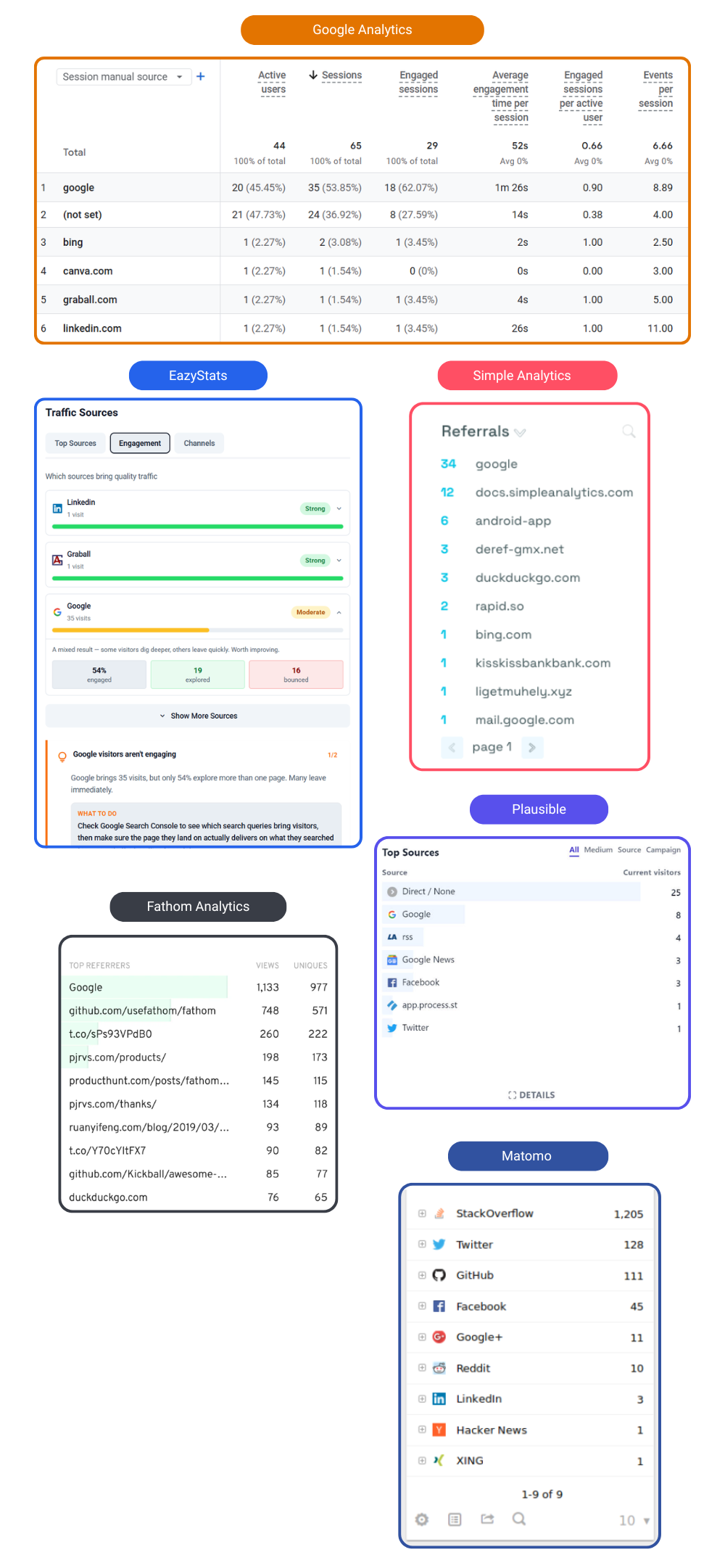
Plausible is one of the most popular privacy-focused analytics tools. It provides a simple dashboard showing visitors, page views, referral sources, and campaigns. According to Plausible's documentation, the platform focuses on lightweight analytics without collecting personal data.
| Strengths | Limitations |
|---|---|
| Simple interface | Shows traffic data — interpretation is up to you |
| Quick installation | Does not explain which visitors engaged more |
| Privacy-focused (no cookie banner) | No actionable recommendations |
| Lightweight script (~1 KB) | Paid only — no free tier |
Best for
Fathom Analytics
Fathom emphasizes simplicity and campaign tracking. See usefathom.com for full details.
| Strengths | Limitations |
|---|---|
| Clean, focused dashboard | Traffic metrics only — no behavioral interpretation |
| Strong UTM campaign tracking | Does not show which pages cause drop-offs |
| Easy setup | Does not identify which traffic source converts best |
| Privacy friendly | Paid only — starts at $14/mo |
Best for
Simple Analytics
Simple Analytics positions itself as a minimal analytics platform. See simpleanalytics.com. The interface focuses on visitors, referrers, page views, and events.
| Strengths | Limitations |
|---|---|
| Extremely simple dashboard | Traffic numbers only — no behavior patterns |
| Quick setup | Does not answer "why are mobile visitors leaving?" |
| Privacy-focused design | Limited analytical depth for growing businesses |
Best for
Matomo (Self-Hosted Analytics Option)
Matomo is one of the most powerful Google Analytics alternatives, offering cloud hosting, self-hosted analytics, and full data ownership. See matomo.org.
| Strengths | Limitations |
|---|---|
| Highly customizable | More complex to install and maintain |
| Advanced analytics features | Requires technical knowledge for self-hosting |
| Full data ownership (self-host option) | Overkill for most small businesses |
| GDPR compliant | UI complexity similar to GA4 |
Best for
EazyStats (Insight-Driven Alternative Built for Founders)
EazyStats takes a different approach. Instead of simply reporting metrics, it focuses on explaining visitor behavior. The goal is clarity.
EazyStats converts raw traffic data into behavioral patterns, strategic interpretation, and actionable recommendations — helping founders answer:
- Which traffic source sends buyers?
- Which landing page causes drop-offs?
- Where does the customer journey break?
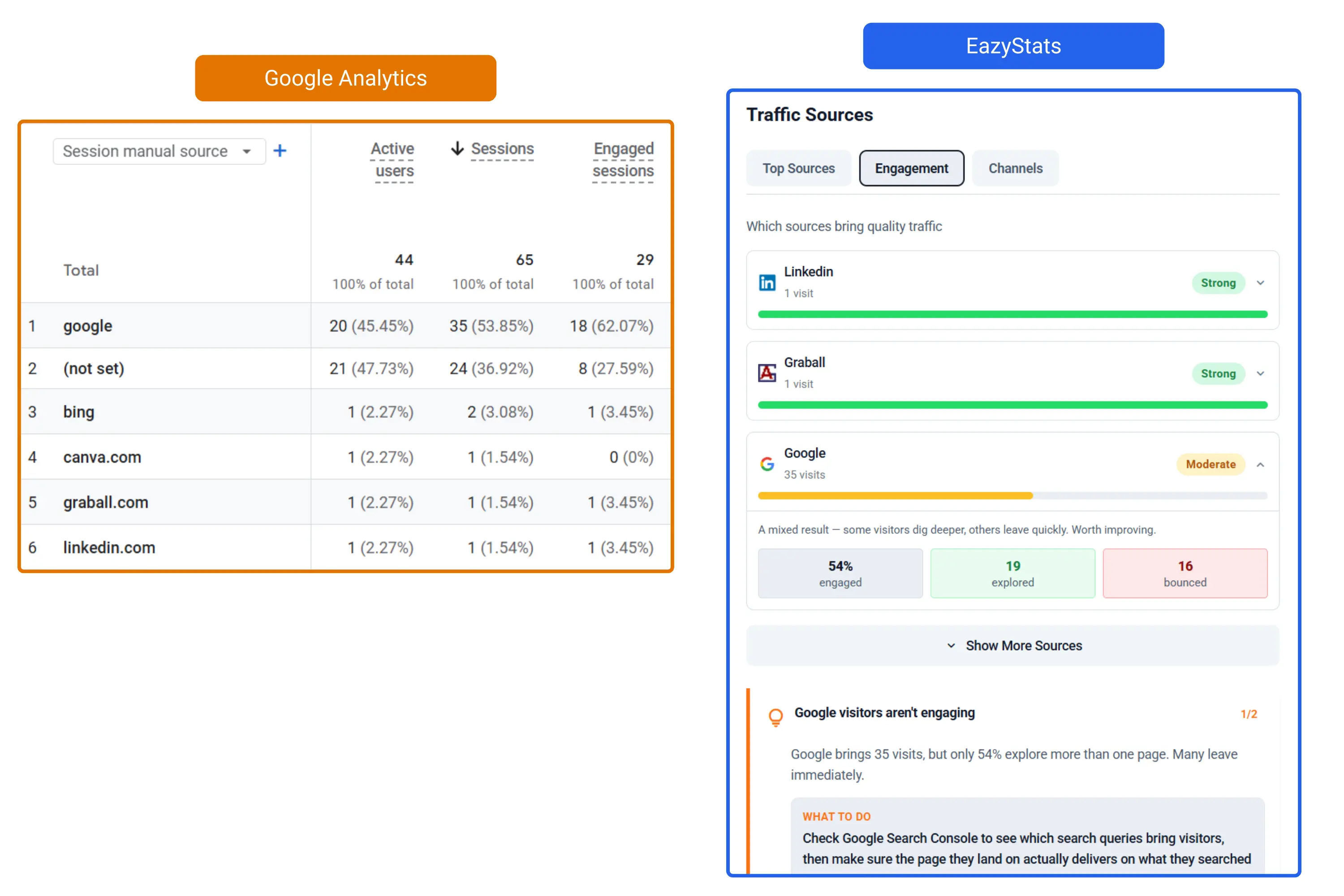
Instead of only showing:
Bounce rate: 62%
EazyStats shows behavior like:
- 5 visitors explored multiple pages
- 3 visited product features
- 1 reached pricing
- 6 left immediately
This provides context that standard analytics dashboards often lack.
See this inside EazyStats
Feature Comparison Table
| Feature | GA4 | Plausible | Fathom | Simple Analytics | Matomo | EazyStats |
|---|---|---|---|---|---|---|
| Easy setup | cancel | check_circle | check_circle | check_circle | warning | check_circle |
| Simple dashboard | cancel | check_circle | check_circle | check_circle | warning | check_circle |
| Campaign / UTM tracking | check_circle | check_circle | check_circle | check_circle | check_circle | check_circle |
| Event tracking | check_circle | warning | warning | warning | check_circle | check_circle |
| Behavior insights | warning | cancel | cancel | cancel | warning | check_circle |
| Visitor journey | warning | cancel | cancel | cancel | warning | check_circle |
| Actionable recommendations | cancel | cancel | cancel | cancel | cancel | check_circle |
| Cookie-free | cancel | check_circle | check_circle | check_circle | warning | check_circle |
| Free tier | check_circle | cancel | cancel | cancel | check_circle | check_circle |
check_circle strong fit warning depends on setup cancel limited or not available
Which Tool Is Best for You?
Use this decision guide to find your best fit:
| Choose this tool | If you need... |
|---|---|
| Google Analytics 4 | Enterprise-level reporting, complex attribution, Google Ads integration |
| Plausible or Fathom | Simple privacy-first traffic dashboards with no cookie banner |
| Simple Analytics | The most minimal interface possible |
| Matomo | Self-hosted analytics with full data ownership |
| EazyStats | Simple analytics + clear engagement insights + actionable guidance for improving your website |
Helpful related reads:
- Engagement Rate vs Bounce Rate
- Bounce Rate Meaning (Complete Guide)
- Track Website Traffic Without Google Analytics
- Best Website Visitor Tracking Tools
- Google Analytics vs EazyStats — Side-by-Side Comparison
- How to Track Website Visitors (Complete Guide)
- Average Bounce Rate by Industry (2026 Benchmarks)
Want a GA alternative that actually explains your traffic?
Stop wrestling with analytics dashboards
Frequently Asked Questions
EazyStats Team
Product & Growth at EazyStats
The EazyStats team writes about web analytics, privacy, GDPR compliance, and building SaaS products that grow.
Related Articles
Engagement Rate vs Bounce Rate (What's the Difference + Which Matters More?)
Learn the difference between engagement rate and bounce rate, how engagement rate works in Google Analytics, what a good engagement rate looks like, and how to improve both metrics.
EazyStats Team
Mar 5, 2026
Google Analytics vs EazyStats: Which Is Better for Small Business?
Compare Google Analytics vs EazyStats. See which website analytics tool is better for small businesses in 2026 — simplicity vs complexity explained, with bounce, engagement, and journey tracking.
EazyStats Team
Mar 5, 2026
Website Visitor Tracking Tools Compared (2026 Guide for Small Business)
Compare the best website visitor tracking tools in 2026. See how Google Analytics, Plausible, Fathom, Matomo, and EazyStats stack up for small businesses.
EazyStats Team
Mar 5, 2026
Start tracking smarter — for free
Cookie-free, GDPR-compliant analytics. Up and running in minutes.
Create free account