Google Analytics vs EazyStats: Which Is Better for Small Business?
Compare Google Analytics vs EazyStats. See which website analytics tool is better for small businesses in 2026 — simplicity vs complexity explained, with bounce, engagement, and journey tracking.

EazyStats Team
Product & Growth · Published March 5, 2026
If you're comparing Google Analytics vs EazyStats, you're likely very close to choosing a tool. You're asking questions like:
- Do I really need Google Analytics?
- Is there a simpler Google Analytics alternative?
- Which tool is best for analytics for small business?
- Will I actually understand the data?
- Which tool helps reduce bounce rate and improve engagement rate?
Google Analytics is powerful. But power doesn't always mean clarity.
Most small businesses don't need enterprise reporting, complex exploration dashboards, a dozen event configurations, or a consultant just to interpret results. They need answers:
- Where did visitors come from?
- Did they explore, or leave immediately?
- Which page is leaking conversions?
- What should I fix next?
This guide compares GA4 and EazyStats across setup, ease of use, bounce and engagement tracking, customer journey visibility, UTM tracking, pricing, and best use cases. No hype — just clarity.
Quick Answer: Which Tool Should You Choose?
| Choose Google Analytics if… | Choose EazyStats if… |
|---|---|
| You need advanced segmentation and analysis | You want simple analytics for small business |
| You're running complex marketing and attribution | You want clarity around bounce and engagement |
| You have time (or a team) to configure and interpret GA4 | You want to see the customer journey without complex setup |
| You need deep integrations across Google products | You want "what to do next" insights, not just raw numbers |
If you're still in the research stage, these related guides help:
What Is Google Analytics?
Google Analytics (GA4) is Google's website analytics platform. It tracks sessions, page views, events, traffic sources, conversions, and engagement metrics. It's free for many use cases and extremely powerful.
GA4 introduced major changes compared to Universal Analytics — most notably, it frames engagement as a core metric and defines bounce differently than many people expect. Google's official documentation explains GA4 engagement and bounce concepts: (Google Help)
Why small businesses struggle with GA4
GA4 isn't "bad" — it's built for scale, complexity, flexibility, and large teams. That's why many founders experience:
- Confusing reports with too many menus
- Unclear next actions after logging in
- Setup friction — events, conversions, Tag Manager choices
- Numbers that don't translate into decisions
What Is EazyStats?
EazyStats is a simple website analytics tool designed for small businesses that want clarity. Instead of overwhelming you with reports, it focuses on:
- Clear engagement breakdown
- Bounce behavior explained (not just a % number)
- Traffic source quality — buyers vs browsers
- Customer journey visibility
- Actionable insights in simple language
Where Google Analytics mostly shows data, EazyStats aims to show interpretation. That difference matters when you're a small team and you need answers quickly.
Setup & Installation Comparison
| Google Analytics (GA4) | EazyStats |
|---|---|
| Create account + configure data streams | Sign up |
| Install tracking code (often via Tag Manager) | Add website |
| Decide which events to track | Install a script |
| Mark conversions / key events | Start seeing traffic and behavior |
| Validate data integrity | |
| (Optional) configure funnels, audiences, explorations |
The setup difference in practice
Dashboards & Ease of Use
Google Analytics dashboard (GA4)
GA4 includes multiple sections: acquisition, engagement, retention, monetization, explorations, and event reporting. This is great if you know what you're doing. But many small business owners log in, see dozens of options, don't know where to start — and stop checking analytics entirely.
EazyStats dashboard
EazyStats is designed to be read quickly. You typically see:
- Traffic sources with engagement clarity
- Bounce behavior explained (not just a number)
- Entry and exit pages
- Journey flow — what visitors do next
It's designed for daily use — not monthly reports you ignore.
Bounce Rate & Engagement Rate Tracking
Bounce and engagement are the "truth" metrics. They tell you whether traffic is actually doing anything on your website.
How GA4 handles engagement and bounce
In GA4, an engaged session is based on rules: time on site (10+ seconds), multiple views, or a conversion event. (Google Help) Bounce rate is essentially the inverse of engagement rate. This leads to confusion because a visitor can stay 12 seconds, read nothing, leave — and GA4 may still count that as engaged.
How EazyStats handles bounce and engagement (behavior-first)
EazyStats focuses on what visitors actually did:
GA4 shows: Bounce rate: 62%
EazyStats shows a behavioral story:
- 4 explored multiple pages
- 3 visited features
- 1 reached pricing
- 5 left immediately
That's the difference between a metric and a decision.
Helpful internal reads for this topic:
Customer Journey Tracking: Where Visitors Drop Off
Most websites fail to convert because the journey breaks. Common broken patterns:
- Google → Blog → Exit
- LinkedIn → Homepage → Exit
- Ad → Pricing → Exit
- Homepage → Features → Exit
| Google Analytics (GA4) | EazyStats |
|---|---|
| Capable of journey analysis | Designed for journey clarity out of the box |
| Requires exploration reports + funnel setup | Shows Source → Landing page → Next page → Exit simply |
| Needs event configuration | No heavy configuration required |
| Analysis effort required | Immediate drop-off visibility |
For the full guide on how to map and optimize your journey: Website Customer Journey: How to Map & Optimize It.
UTM & Campaign Tracking
If you run any marketing, you should be tracking campaigns using UTMs.
Google Analytics and UTMs
GA4 tracks UTMs through acquisition reports and campaign breakdowns. Google's Campaign URL Builder documentation explains UTM parameters and campaign tracking in detail.
EazyStats and UTMs
EazyStats shows campaign performance with clarity:
- Campaign traffic volume
- Engagement by campaign
- Bounce behavior by campaign
- Which campaign brings buyers, not just clicks
Still unsure? See the difference yourself.
Pricing Comparison: The Real Cost for Small Business
| Cost Factor | Google Analytics (GA4) | EazyStats |
|---|---|---|
| Tool cost | Free | Free plan available; affordable paid plans |
| Setup time | Hours to days | Minutes |
| Learning curve | Steep — ongoing | Minimal |
| Interpretation cost | High (requires analytics knowledge) | Low (built into the tool) |
| Risk of misconfig | High | Low |
Free tools have hidden costs
Who Wins for Different Small Business Types?
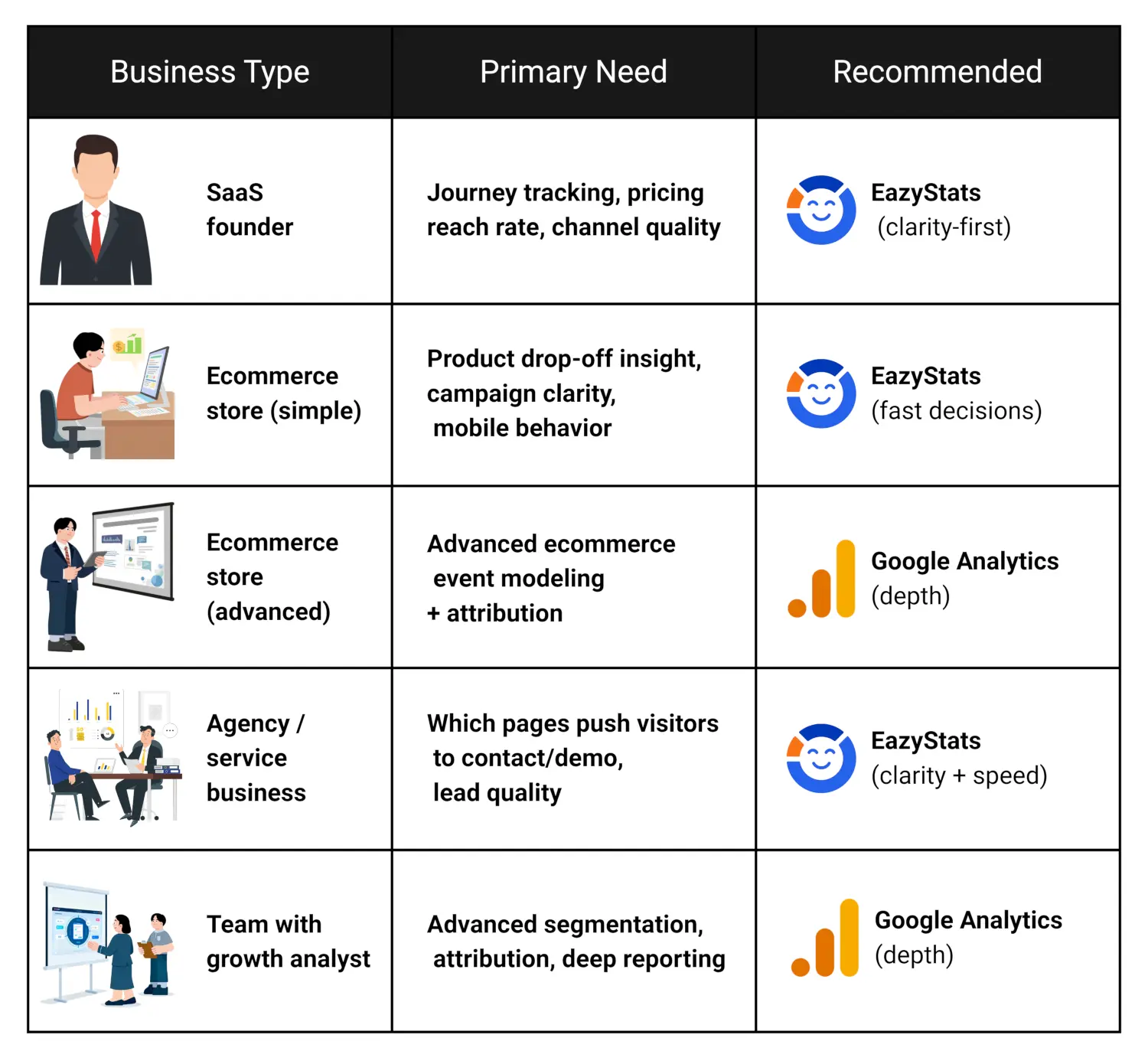
| Business Type | Primary Need | Recommended |
|---|---|---|
| SaaS founder | Journey tracking, pricing reach rate, channel quality | EazyStats (clarity-first) |
| Ecommerce store (simple) | Product drop-off insight, campaign clarity, mobile behavior | EazyStats (fast decisions) |
| Ecommerce store (advanced) | Advanced ecommerce event modeling + attribution | GA4 (depth) |
| Agency / service business | Which pages push visitors to contact/demo, lead quality | EazyStats (clarity + speed) |
| Team with growth analyst | Advanced segmentation, attribution, deep reporting | GA4 (depth) |
Can You Use Both?
Yes — and this is a realistic option many businesses choose.
- Google Analytics for deep reporting and long-term analysis
- EazyStats for daily clarity and decision-making
This is especially useful when GA4 is already installed and you don't want to remove existing reporting — you add EazyStats as a second view that's easier to interpret every day.
See This Inside EazyStats
Inside EazyStats you can typically see:
- Traffic sources graded Strong / Moderate / Weak
- Engagement breakdown — who explored vs who left
- Entry and exit pages
- Journey flow — what visitors do next
- Clear recommendations in simple language
That's the core difference: Google Analytics gives you data. EazyStats aims to give you clarity and next actions.
See this inside EazyStats

Analytics should give you answers — not confusion
Frequently Asked Questions
EazyStats Team
Product & Growth at EazyStats
The EazyStats team writes about web analytics, privacy, GDPR compliance, and building SaaS products that grow.
Related Articles
Best Google Analytics Alternatives for Small Business (2026 Guide)
Discover the best Google Analytics alternatives for small business in 2026. Compare Plausible, Fathom, Simple Analytics, Matomo, and EazyStats — and find the right website visitor tracking tool for your needs.
EazyStats Team
Mar 5, 2026
How to Reduce Bounce Rate (Proven Methods That Actually Work)
Learn how to reduce bounce rate with practical, proven methods. Fix high bounce rate issues, improve engagement rate, and increase website conversions.
EazyStats Team
Mar 5, 2026
Website Visitor Tracking Tools Compared (2026 Guide for Small Business)
Compare the best website visitor tracking tools in 2026. See how Google Analytics, Plausible, Fathom, Matomo, and EazyStats stack up for small businesses.
EazyStats Team
Mar 5, 2026
Start tracking smarter — for free
Cookie-free, GDPR-compliant analytics. Up and running in minutes.
Create free account